
DINING, MAPPED
Your whole floor.
One clear view.
Bring the room, the reservations, and the people running service into focus.
Seatorix connects a visual restaurant workspace with a guest experience built around choosing the right table.
A controlled preproduction pilot. Access is coordinated with our team.
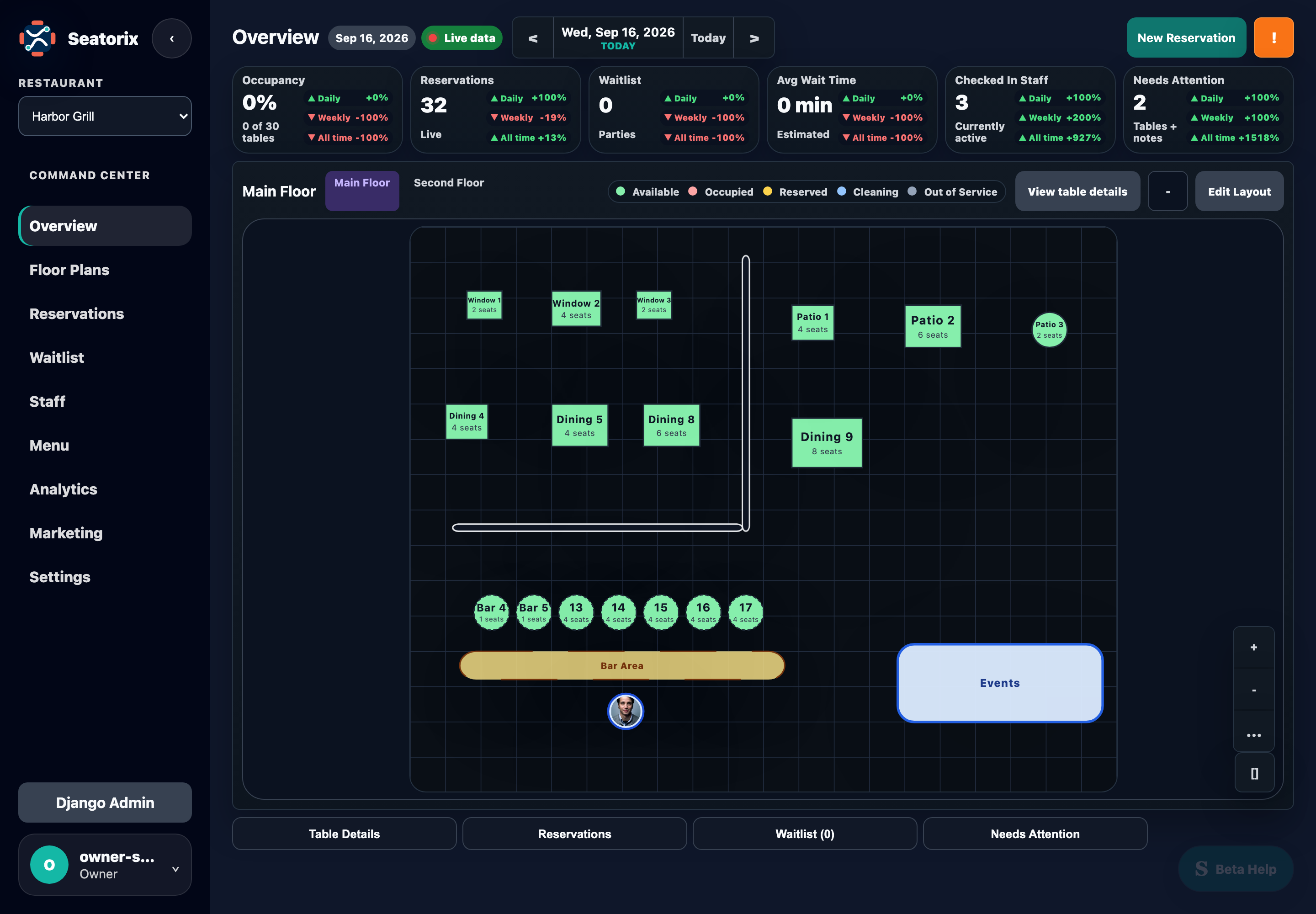
Product previews of Seatorix. Features shown may differ from the current staging release.
FOR RESTAURANT OWNERS
Run service
from the room.
From a table on the floor to the booking behind it, keep the details within reach.
See what needs your attention.
Make the floor plan your starting point. Inspect table details, check reservations, and switch floors without losing the shape of the room.
- A map built for serviceTable status, capacity, floor selection, and the details of a selected table.
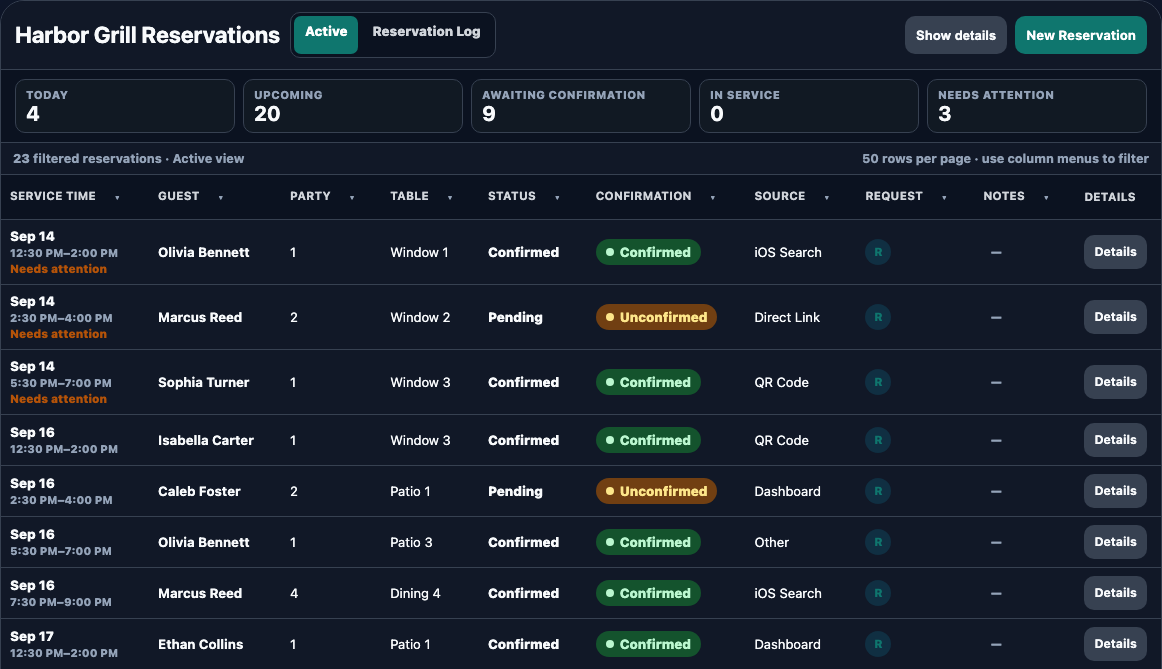
- Bookings with contextReview parties, assigned tables, confirmation states, and booking sources.
- Keep the queue in viewOpen the waitlist and tools for items needing attention alongside your service workflow.
02 / STAFF & PROFILES
A team behind
every table.
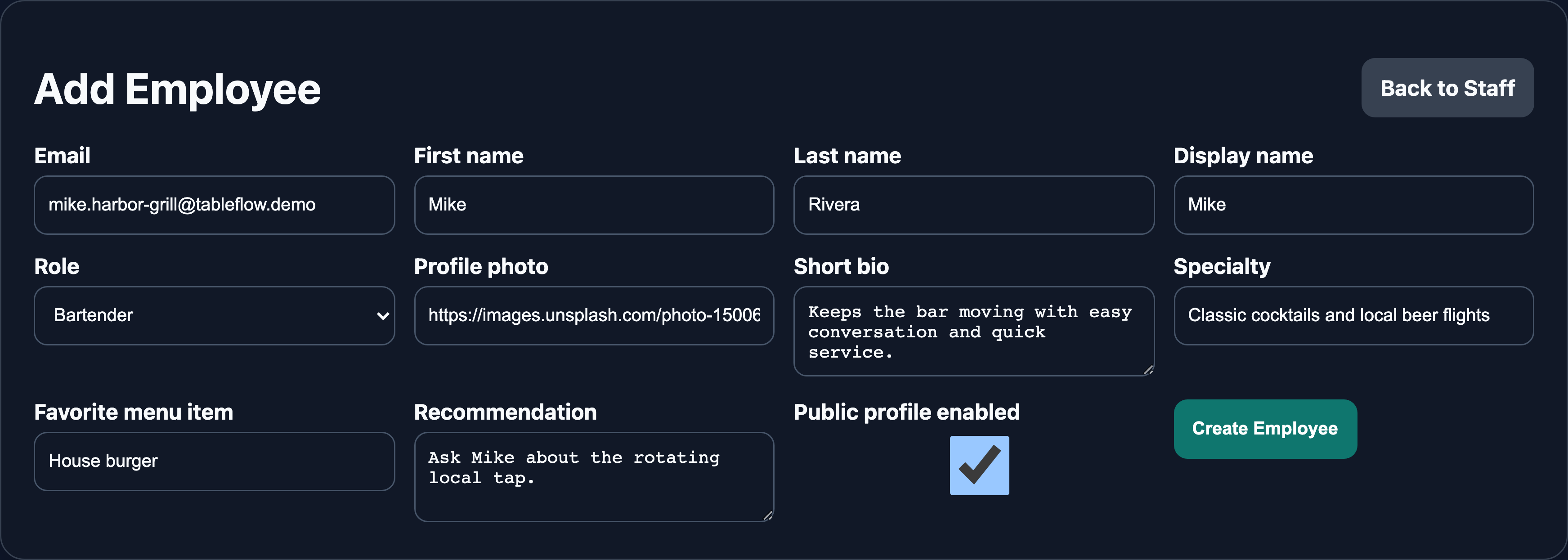
Manage staff profiles and roles, coordinate assignments, and give eligible staff who interact with guests a way to introduce themselves.
The right role
Staff actions follow assigned restaurant permissions.
A personal introduction
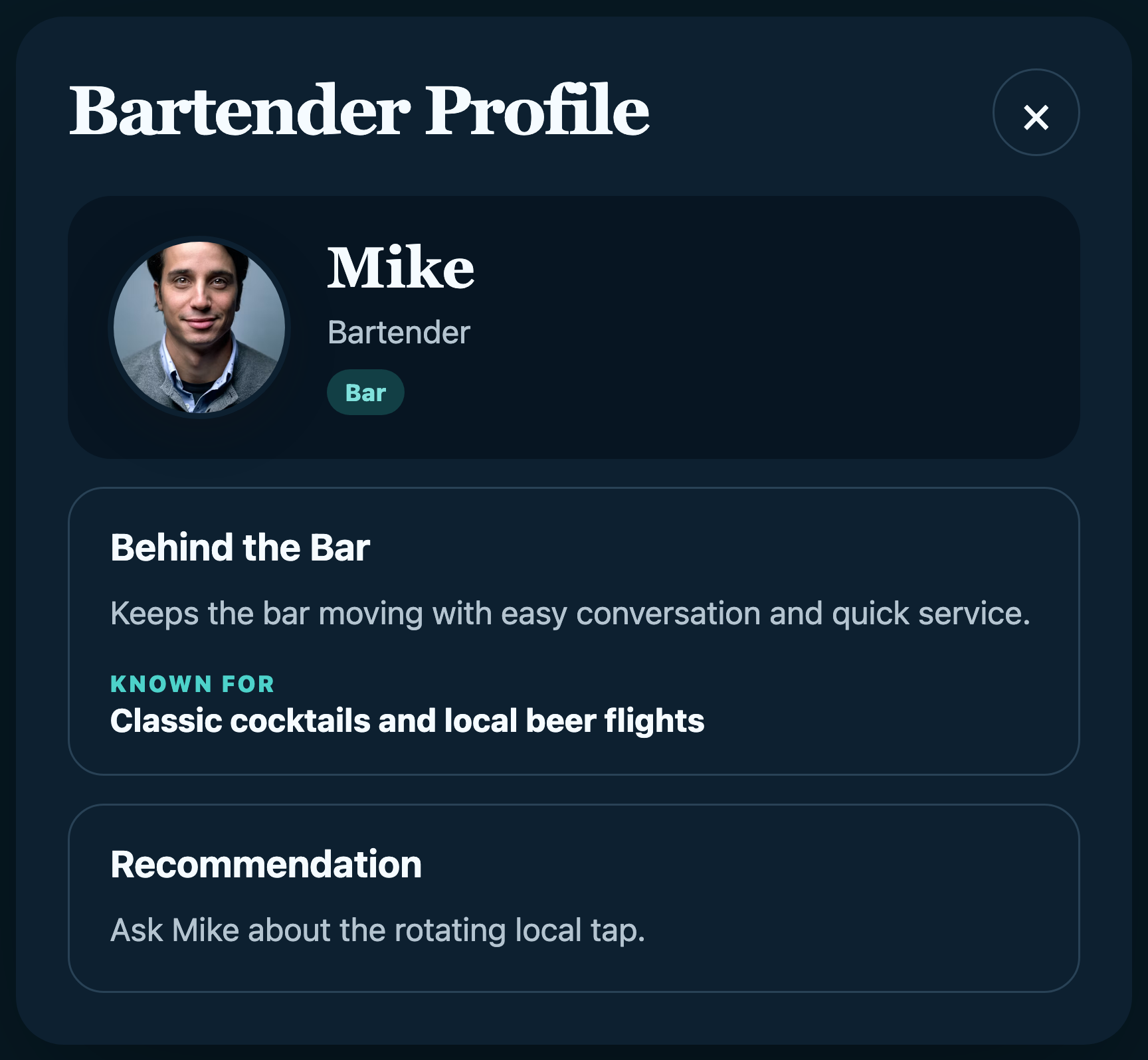
Add a bio, specialty, and recommendations for eligible public profiles.
Visibility with context
Customer visibility depends on the profile, role, and active shift, rather than simply creating an employee.
03 / SERVICE INSIGHTS
Know what happened.
Plan what comes next.
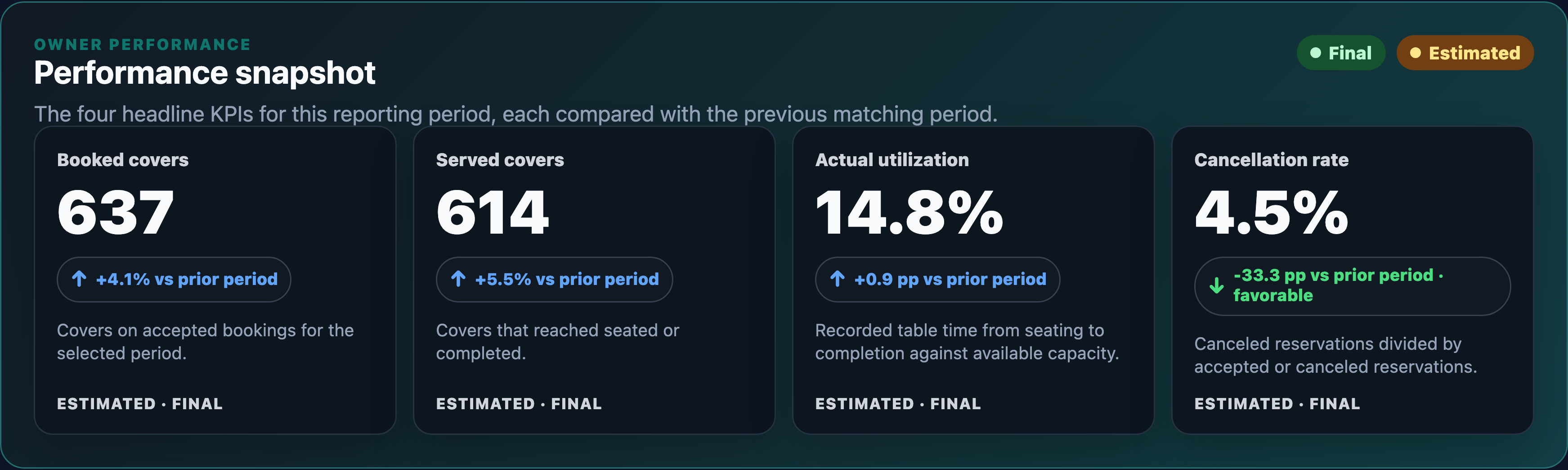
Explore booked and served covers, utilization, and cancellations. Compare reporting periods and take the details with you through CSV export.
Analytics distinguishes verified, estimated, and incomplete data, so the numbers keep their context.
04 / THE GUEST EXPERIENCE
Know the room.
Choose your seat.
Give guests more than a time slot. Let them explore the floor and choose a specific table that suits their visit.
- Discover the restaurantExplore restaurant details, photos, and published floors.
- Choose a tableInspect the map, seating capacity, and available times.
- Make the reservationChoose a date and party size, then submit for availability confirmation.
Shown here: the mobile website. Seatorix also supports a native iPhone app; access depends on the assigned pilot release.
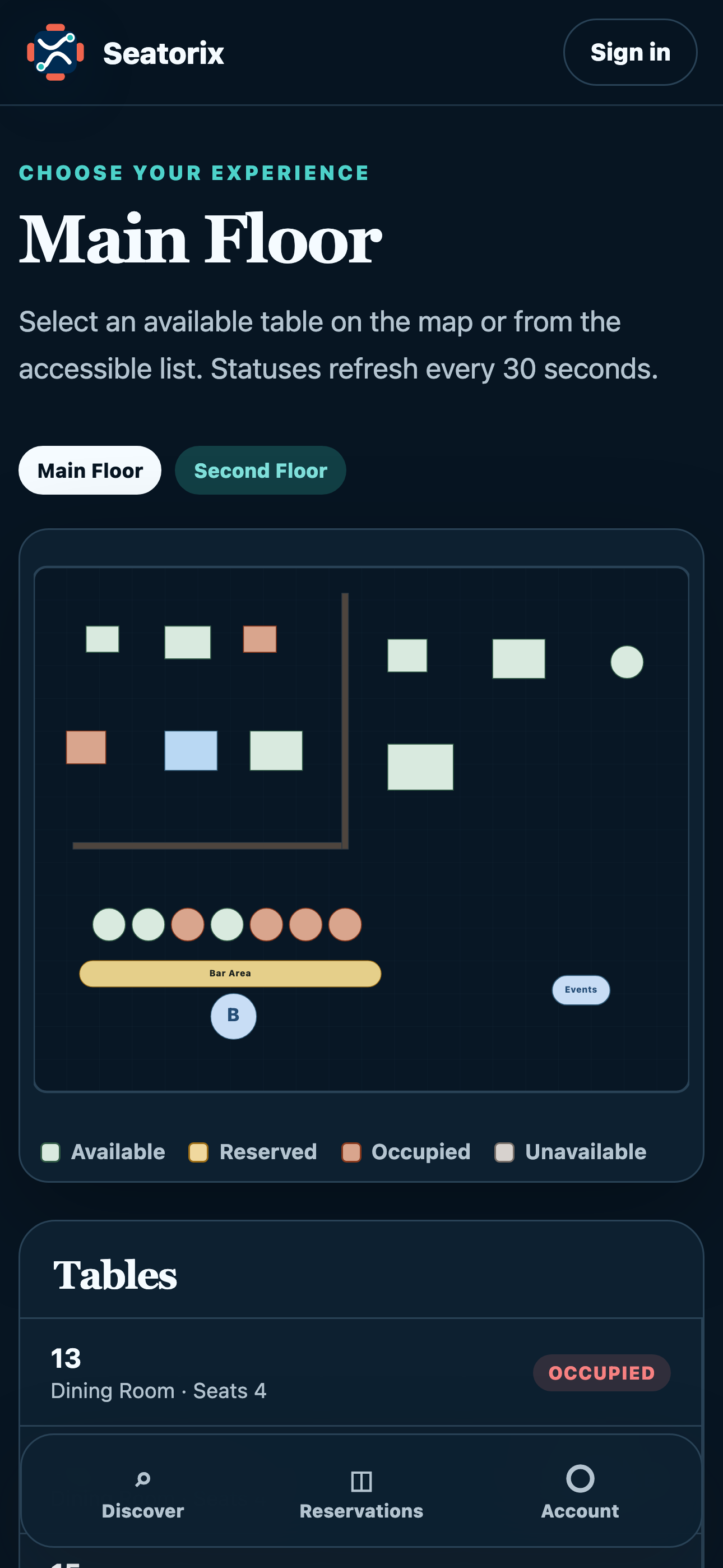
Mobile website preview
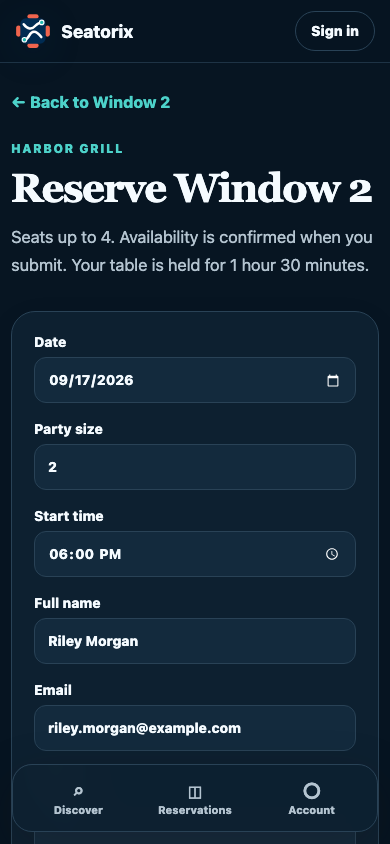
Unsaved example · no booking made
PILOT SUPPORT
A little guidance.
Right where you work.
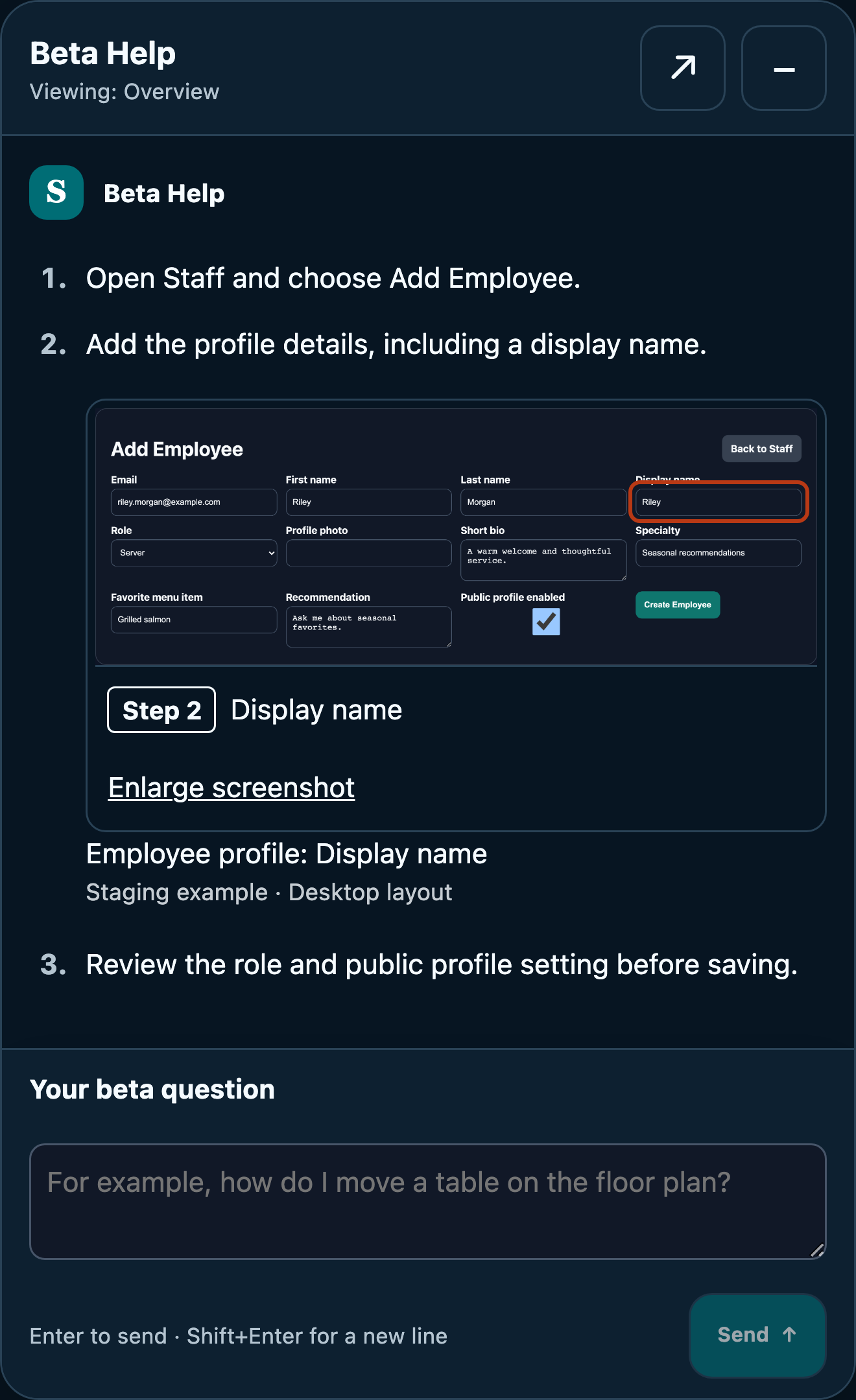
Beta Help brings product guidance and illustrated walkthroughs into the web experience, with an editable problem report when you need to explain an issue.
It explains documented tasks; it doesn’t change your bookings or staff records. Reports are reviewed and explicitly confirmed before sending.
Prepared conversation preview, rendered without a live AI request. Beta Help is being tested with eligible pilot participants.
BEFORE YOU JOIN
A few good questions.
Who is the pilot for?
Restaurant owners and their assigned teams who want to explore Seatorix and help test its workflows. Testing the guest experience is coordinated as part of the pilot.
How do I request access?
Select Request pilot access to email our team. Tell us about your restaurant and the workflows you’d like to explore. We’ll coordinate next steps; submitting an email does not automatically create an account.
Is Seatorix publicly launched?
Not yet. Seatorix is in controlled preproduction testing. Images show staging and local development previews; your assigned release may differ.
How do guests use Seatorix?
Guests use the customer experience to discover restaurants, inspect published floors and tables, and request a reservation. A table’s availability is checked when the reservation is submitted.
LET’S PUT YOUR ROOM IN VIEW
See how Seatorix
could fit your service.
Explore the product with our team and help shape the pilot.
Request pilot accessPreproduction testing · Access coordinated by the Seatorix team